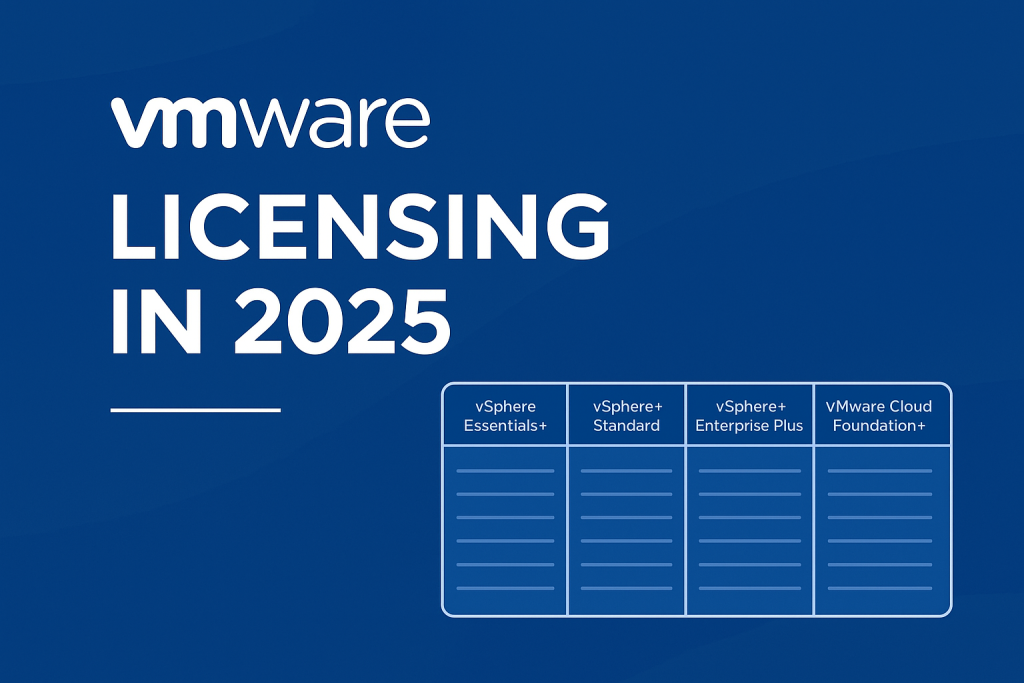
Licencovanie produktov VMware prešlo v roku 2025 zásadnými zmenami, ktoré ovplyvňujú nielen veľké podniky, ale aj menšie firmy a poskytovateľov cloudových služieb. V tomto článku sa pozrieme na hlavné novinky v licencovaní, výhody a riziká, ktoré nové modely prinášajú, a ponúkneme odporúčania, ako sa pripraviť na prechod.
Kľúčové zmeny v licencovaní VMware – zabudnite na to, ako to fungovalo doteraz.
1. Koniec trvalých licencií (perpetual licenses)
VMware od januára 2025 oficiálne ukončilo predaj trvalých licencií pre väčšinu svojich produktov, vrátane vSphere, vSAN a vCenter. Namiesto toho sú všetky nové licencie poskytované formou predplatného (subscription).
Čo to znamená:
-
Firmy musia prejsť na ročné alebo viacročné predplatné.
-
Trvalé licencie zakúpené predtým zostávajú platné, ale nie je možné ich rozšíriť o nové uzly alebo podporu.
2. Flexibilnejšie metriky licencovania
Hlavné metriky:
-
Počet jadier (napr. 16 alebo 32 jadier/CPU)
-
Kapacita (napr. TB dát vo vSAN)
-
Spotreba (v prípade cloudových riešení)
3. Licencujú sa jadrá / nie sockety
Pôvodný model (perpetual) — „na socket“
-
1 licencia = 1 fyzický procesor (socket) do 32 jadier
-
Tento model platil pre perpetual licencie pred rokom 2023.
Nový model (subscription) — „na jadro (core)“
-
Každé jadro = 1 licencia (core subscription license)
-
Minimálne 16 jadier na jeden CPU sa musí licencovať, bez ohľadu na to, koľko jadier CPU skutočne má. (ak máte napríklad v serveri CPU Xeon so 4 jadrami, musíte kúpiť 16 per core VMware vSphere licencií, pretože 16 je minimálny počet bez ohľadu koľko jadier v skutočnosti máte)
Porovnanie VMware balíkov (2025)
| vSphere Product Line Comparison | |||
| Feature | VMware vSphere Standard | VMware vSphere Enterprise Plus | VMware vSphere Foundation |
| Key Attributes | |||
| vCenter Edition | vCenter Standard | vCenter Standard | vCenter Standard |
| vCenter Lifecycle Management Service | ✓ | ✓ | ✓ |
| Kubernetes Runtime and Supervisor Services | |||
| vSphere Kubernetes Service (VKS) | ✓ | ||
| VM Service | ✓ | ||
| Storage Service | ✓ | ||
| Network Service | ✓ | ||
| Container Registry Service | ✓ | ||
| Harbor Image Registry Service | ✓ | ||
| vSphere Pod Service | ✓ | ||
| Load Balancer Service | ✓ | ||
| External DNS | ✓ | ||
| Data Services | ✓ | ||
| AI Services | ✓ | ||
| Customizable base OS Images | ✓ | ||
| Operations Management | |||
| vSphere Lifecycle Manager | ✓ | ✓ | ✓ |
| Live Patching for ESX | ✓ | ✓ | ✓ |
| vCenter Server Profiles | ✓ | ✓ | ✓ |
| vCenter Update Planner | ✓ | ✓ | ✓ |
| Content Library | ✓ | ✓ | ✓ |
| vSphere Configuration Profiles | ✓ | ✓ | |
| Host Profiles | ✓ | ✓ | |
| Auto Deploy | ✓ | ✓ | |
| Virtual Volumes (vVols) | ✓ | ✓ | ✓ |
| Green Metrics | ✓ | ✓ | ✓ |
| Built-in Security | |||
| Identity Federation | ✓ | ✓ | ✓ |
| Hardware TPM 2.0 Support | ✓ | ✓ | ✓ |
| Virtual TPM 2.0 | ✓ | ✓ | ✓ |
| FIPS 140-2 | ✓ | ✓ | ✓ |
| Common Criteria Certification | |||
| TLS 1.2 | ✓ | ✓ | ✓ |
| TLS 1.3 | ✓ ** | ✓ | ✓ ** |
| Virtual Machine Encryption | ✓ | ✓ | |
| Standard Key Provider (External KMS) | ✓ | ✓ | ✓ |
| Native Key Provider | ✓ | ✓ | ✓ |
| Application Performance | |||
| Per-VM Enhanced vMotion Compatibility (EVC) | ✓ | ✓ | |
| Instant Clone | ✓ | ✓ | |
| Distributed Resource Scheduler (DRS) | ✓ | ✓ | |
| Storage DRS | ✓ | ✓ | |
| Distributed Power Management (DPM) | ✓ | ✓ | |
| Storage Policy- Based Management | ✓ | ✓ | ✓ |
| I/O Controls (storage) | ✓ | ✓ | |
| Single Root I/O Virtualization (SR- IOV) | ✓ | ✓ | |
| vSphere persistent memory/memory tiering | ✓ | ✓ | |
| Memory Tiering | ✓ | ✓ | |
| NVIDIA GRID vGPU | ✓ | ✓ | |
| Accelerated Graphics for VMs | ✓ | ✓ | |
| Dynamic DirectPath IO | ✓ | ✓ | ✓ |
| Enhanced DirectPath I/O | ✓ | ✓ | |
| Vendor Device Group | ✓ | ✓ | |
| Heterogeneous vGPU profiles on same GPU | ✓ | ✓ | |
| DRS automation for vGPU workloads | ✓ | ✓ | |
| Business Continuity | |||
| vMotion | ✓ | ✓ | ✓ |
| Cross-vCenter vMotion | ✓ | ✓ | ✓ |
| vCenter Enhanced Linked Mode | ✓ | ✓ | ✓ |
| vSMP | ✓ | ✓ | ✓ |
| High Availability (HA) | ✓ | ✓ | ✓ |
| Proactive HA | ✓ | ||
| Storage vMotion | ✓ | ✓ | ✓ |
| Fault Tolerance | ✓ | ✓ | ✓ |
| (only 2 vCPU) | |||
| vSphere Replication | ✓ | ✓ | ✓ |
| Support for 4k Native Storage | ✓ | ✓ | ✓ |
| vSphere Quick Boot | ✓ | ✓ | ✓ |
| vCenter File-Based Backup and Restore | ✓ | ✓ | ✓ |
| Cross vCenter Mixed Version Provisioning | ✓ | ✓ | ✓ |
| Hot and Cold Migration to the Cloud | ✓ | ✓ | ✓ |
| Policy-based Governance | ✓ | ✓ | |
| Kubernetes Automation | ✓ | ||
| Workload Lifecycle Management | ✓ | ✓ | |
| vCenter Orchestration & Extensibility | ✓ | ✓ | ✓ |
| Storage – vSAN/HCI | |||
| vSAN Express Storage Architecture (ESA) | ✓ | ||
| vSAN Original Storage Architecture (OSA) | ✓ | ||
| All-Flash Hardware | ✓ | ||
| Data Compression | ✓ | ||
| Basic Compression and Deduplication | ✓ | ||
| (OSA Only) | |||
| Advanced Storage and Network Layer Compression | ✓ | ||
| (ESA Only) | |||
| Data at-Rest Encryption | ✓ | ||
| Data in-Transit Encryption | ✓ | ||
| Storage Policy- Based Management | ✓ | ||
| Software Checksum | ✓ | ||
| vSAN over RDMA | ✓ | ||
| Quality of Service (QoS) | ✓ | ||
| – IOPS Limit | |||
| Erasure Coding (RAID-5/6) | ✓ | ||
| vSAN storage clusters | ✓ | ||
| Remote Datastores | ✓ | ||
| Stretched Cluster | ✓ | ||
| 2-Node Cluster | ✓ | ||
| File Services | ✓ | ||
| iSCSI Target Service | ✓ | ||
| Cloud Native Storage (CNS) Control Plane | ✓ | ||
| vSphere Container Storage Interface (CSI) Driver | ✓ | ||
| Rack Awareness (Fault Domains) | ✓ | ||
| vSAN Data Persistence Platform | ✓ | ||
| Snapshot Manager | ✓ | ||
| Immutable Snapshots | ✓ | ||
| vSAN-to-vSAN Replication | ✓ | ||
| External Storage | |||
| VMFS – Fibre Channel | ✓ | ✓ | ✓ |
| VMFS – iSCSI | ✓ | ✓ | ✓ |
| VMFS – FCoE | ✓ | ✓ | ✓ |
| VMFS – NVMe/FC | ✓ | ✓ | ✓ |
| VMFS – NVMe/TCP | ✓ | ✓ | ✓ |
| VMFS – NVMe/RDMA | ✓ | ✓ | ✓ |
| NFS – v3 | ✓ | ✓ | ✓ |
| NFS – v4.1 | ✓ | ✓ | ✓ |
| vVols – Fibre Channel | ✓ | ✓ | ✓ |
| vVols – iSCSI | ✓ | ✓ | ✓ |
| vVols – NVMe/FC | ✓ | ✓ | ✓ |
| vVols – NVMe/TCP | ✓ | ✓ | ✓ |
| vVols – NFS v3 | ✓ | ✓ | ✓ |
| Storage I/O QoS Controls (SIOC) | ✓ | ✓ | ✓ |
| Storage Array Integration (VAAI) for Block Storage | ✓ | ✓ | ✓ |
| Storage Array Integration (VAAI) for NFS Storage | ✓ | ✓ | ✓ |
| Workload (VMDK) Clustering | ✓ | ✓ | ✓ |
| Auto config with NFS | ✓ | ✓ | ✓ |
| 3rd party storage plugins | ✓ | ✓ | ✓ |
| Host commissioning and cluster management | ✓ | ✓ | ✓ |
| Networking | |||
| vSphere Distributed Switch | ✓ | ✓ | |
| Link Aggregation Control Protocol (LACP) | ✓ | ✓ | |
| Load-Based Teaming | ✓ | ✓ | |
| Network I/O QoS Control (NIOC) | ✓ | ✓ | |
| Private VLAN | ✓ | ✓ | |
| MAC Learning | ✓ | ✓ | |
| BPDU Guard | ✓ | ✓ | |
| Guest VLAN Tagging | ✓ | ✓ | |
| VLAN Backed Networking | ✓ | ✓ | ✓ |
| L2 Multicast | ✓ | ✓ | |
| Quality of Service (QoS) | ✓ | ✓ | |
| (NIOC) | (NIOC) | ||
| Container Networking with Antrea | ✓ | ||
| Layer 4 Load Balancing for vSphere Supervisor (including VM Service, vSphere PODs, and VKS Clusters) | ✓ | ||
| Limited L7 Load Balancing for Supervisor Services | ✓ | ||
| Port Mirroring | ✓ | ✓ | |
| Netflow/IPFIX | ✓ | ✓ | |
| Packet Capture | ✓ | ✓ | |
| Cloud Management | |||
| VCF Operations | |||
| Install | ✓ | ||
| Lifecycle Management | ✓ | ||
| License Management | ✓ | ✓ | |
| Global inventory | ✓ | ||
| Identity and Access Management, Single sign-on | ✓ | ||
| GPU and vGPU monitoring | ✓ | ||
| Audit events across vCenter, vSphere, vSAN and NSX | ✓ | ||
| Log Management | ✓ | ||
| VCF Health and Diagnostics | ✓ | ||
| Storage Operations (vSAN) | ✓ | ||
| Visualization (OOTB;Custom): Dashboards , Views, Reports, Heat Map, Performance Charts, Super Metrics, Metric Correlation, Relationship Mapping | ✓ | ||
| Performance Monitoring and Analytics | ✓ | ||
| Compliance Management, including regulatory compliance (CSA, DISA, FISMA, ISO, CIS, PCI, HIPAA), custom compliance templates, vSphere hardening | ✓ | ||
| Real-Time predictive capacity management, including trending(Workload What-If analysis), right-sizing, workload optimization (manual and automated ) | ✓ | ||
| Troubleshooting with guided remediation | ✓ | ||
| Cost Management and Optimization with Fine-Grained Cost Analytics (Service and Data Center costs, Reclamation, Planning) | ✓ | ||
| Custom VM profiles | ✓ | ||
| Data Protection and Recovery | ✓ | ||
| Service Discovery and Application Dependency Mapping | ✓ | ||
| Extensibility via VMW & 3rd-Party Infrastructure Management Packs (SDDC, Compute, Storage, Network, K8s/Container) | ✓ | ||
| Logs Alerting | ✓ | ||
| Logs Query API | ✓ | ||
| Logs Scheduled, dashboard reports | ✓ | ||
| Logs Partitioning | ✓ | ||
| Logs Content Pack support, vSphere, VKS, HCX, VCF, Operations fleet management | ✓ | ||
| Supervisor Cluster monitoring(Metrics and Dashboard) | ✓ | ||
| vSphere Kubernetes Service Cluster monitoring (Telegraf Agent) | ✓ | ||
| Advanced Services (Add-ons) | |||
| Additional Storage Capacity – vSAN | ✓ | ||
| VMware Live Recovery | ✓ | ||
| VMware AVI Load Balancer | ✓ | ||
(*) – Denotes features that are limited to the support of VM Service and VKS.
(**) – For more information about use of TLS 1.3 with FIPS 140-3 requirements consult the product documentation.
Ako ovplyvní nový model rôzne typy organizácií?
Pre podniky:
-
Prechod na OPEX model (predplatné) namiesto CAPEX (trvalá investícia)
-
Potreba prehodnotiť licenčné rozpočty a plánovanie nákladov
Pre poskytovateľov služieb (MSP, CSP):
-
Výhodné programy v rámci VMware Partner Connect
-
Lepšia integrácia s multi-tenant cloudovými prostrediami
Pre menšie organizácie:
-
Môžu sa stretnúť s vyššími nákladmi, ak nevyužívajú pokročilé funkcie
-
Odporúča sa analyzovať ROI a zvážiť alternatívy ako Proxmox či Hyper-V
Praktické odporúčania pre rok 2025
-
Zanalizujte existujúce licencie a infraštruktúru – Identifikujte, ktoré produkty ešte fungujú na trvalých licenciách a ako sa dajú migrovať.
-
Vyhodnoťte predplatné balíky – Porovnajte rôzne varianty VMware+ produktov, ktoré môžu lepšie vyhovovať vašim potrebám.
-
Započítajte budúce náklady – Predplatné je dynamické. Zvážte možné scenáre rastu.
Rok 2025 predstavuje zásadný bod zlomu v licencovaní VMware. Pre mnohé firmy to znamená potrebu transformácie nielen technickej, ale aj ekonomickej. Ak chcete zostať konkurencieschopní, je nevyhnutné prispôsobiť sa novému modelu a aktívne plánovať.